I am back ;) “The Markerian Heptad and Understanding Attacker Motivations” February 24, 2020
Posted by Chris Mark in cybersecurity.Tags: AT&T, attacks, Chris Mark, cyber, cybersecurity, data breach, hacking, InfoSec, motivations, security
add a comment
 It has been a bit of time since I have posted. I am back with a blog post I wrote for AT&T CyberSecurity Blog. Titled, “Understanding CyberAttacker Motivations” It discusses what I call the “Markerian Heptad” (Yes..I named it after myself 🙂 and describes the 7 basic motivations that underpin why an attacker would target a particular person, company, organization, etc.
“Implementing a risk based security program and appropriate controls against adaptive cyber threat actors can be a complex task for many organizations. With an understanding of the basic motivations that drive cyber-attacks organizations can better identify where their own assets may be at risk and thereby more efficiently and effectively address identified risks. This article will discuss the Rational Actor Model (RAM) as well as the seven primary intrinsic and extrinsic motivations for cyber attackers.
Deterrence and security theory fundamentally rely upon the premise that people are rational actors. The RAM is based on the rational choice theory, which posits that humans are rational and will take actions that are in their own best interests. Each decision a person makes is based upon an internal value calculus that weighs the cost versus the benefits of an action. By altering the cost-to-benefit ratios of the decisions, decisions, and therefore behavior can be changed accordingly.
It should be noted at this point that ‘rationality’ relies upon a personal calculus of costs and benefits. When speaking about the rational actor model or deterrence, it is critical to understand that ‘rational’ behavior is that which advances the individual’s interests and, as such, behavior may vary among people, groups and situations.”..READ MORE HERE!
Equifax’s History of Hacks and Music Majors September 19, 2017
Posted by Chris Mark in Data Breach, Uncategorized.Tags: credit freeze, data breach, Equifax, hack, krebs, PCI DSS, susan maulden, W-2
add a comment
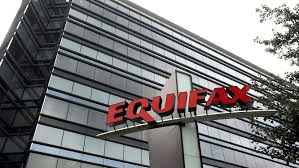 Let me get this out there first. People are making a lot of noise about Equifax’s (no former) CISO (Susan Maulden) being a Music Major in college. So what? Information Security really has only been a ‘profession’ since about 1998 or so. I know MANY CSOs and CISOs that do not have technical degrees. While I am currently working on a Doctorate in CyberSecurity my undergrad was political science and I have an MBA. I think I am a fairly capable security professional. I think Equifax threw Ms. Maulden under the bus by trying to scrub her information from the Internet. Given her prior employment (First Data, SunTrust, etc.) I cannot imagine she would have been given such a role without the requisite experience or knowledge. Until we know more...harping on her college major is simply fishing and projecting blame in the wrong area. What we do know is that Equifax has a history of being breached and has apparently done little to stem the flow of information being stolen.
Next…in keeping with Equifax’s proclivity for telling half truths while selling their own stock, it looks like there was a breach the March prior to the one in July (announced in September 2017). That particular hack included employee tax records. No doubt those execs who dumped their stock were also unaware of that breach (cough, cough).
Interestingly, Equifax provided a cryptic statement that reads: “The criminal hacking that was discovered on July 29 did not affect the customer databases hosted by the Equifax business unit that was the subject of the March event,” ..using my powers of reading comprehension it appears that they are saying that the July 29th “hacking” did not affect the SAME “customer databases” (plural) that were hacked in March. So are we to assume that in both cases customer data was compromised? According to Brian Krebs, well known security expert and researcher, the answer appears to be ‘yes’.
Adding to the fun, according to Forbes: “In one case, it had to change its ways following a class action lawsuit over an alleged lapse in security. That suit related to a May 2016 incident in which Equifax’s W-2 Express website had suffered an attack that resulted in the leak of 430,000 names, addresses, social security numbers and other personal information of retail firm Kroger. Lawyers for the class action plaintiffs argued Equifax had “wilfully ignored known weaknesses in its data security, including prior hacks into its information systems.”
I am sure we will continue to learn more about this breach and others. Stay tuned!
Chris Mark to speak at 2016 TASSCC Annual Conference June 3, 2016
Posted by Chris Mark in Uncategorized.Tags: Bayes, cybersecurity, dark web, data breach, Inference, KeyNote, proximate reality, Speaking, TASSCC
add a comment
I w as excited to receive a call yesterday evening in which I was informed that my presentation abstract was accepted for the 2016 TASSCC Annual Conference being held in August in Galveston, TX! If you are not familiar TASSCC is Texas Association of State Systems for Computing and Communications. They host a great event every year and are pretty selective about choosing speakers.
My topic will be a variation of my dissertation study related to adversarial analysis. As opining on Bayesian Inference, Proximate reality, and apophasis as they relate to security events would likely put the crowd to sleep I am going to cover some important topics at a high level and then provide a live demonstration of the dark web. People are always shocked to see in real time where they can hire a hitman, or have a Kilo of Cocaine delivered to their door using only BitCoins.
Chris Mark Speaking at OpenEdge 2016 Partner Advisory Board May 27, 2016
Posted by Chris Mark in cyberespionage, cybersecurity, Uncategorized.Tags: Chris Mark, cybersecurity, dark web, data breach, Global Payments, KeyNote, OpenEdge
add a comment
 I am honored to have been asked to present as the keynote speaker at the OpenEdge 2016 Partner Advisory Board on June 6th, in Chicago, Il. I will be speaking on the state of cybercrime today and provide a live demonstration of the Dark Web as well as a description of how cyber thieves steal and use payment card data. It should be a fun event for everyone! If you are an OpenEdge Partner please consider attending!
CyberGhost Guest Post- “5 easy steps to increase privacy on Windows 10” August 6, 2015
Posted by Chris Mark in Uncategorized.Tags: Cloud, CyberGhost, data breach, hack, Microsoft, OneDrive, privacy, security, VPN, WIFI, Windows 10
1 comment so far
 Below is a guest post from CyberGhost on how to increase privacy on Windows 10. This is very timely and great advice!. I have upgraded to Windows 10 and really think it is a huge upgrade over Windows 8/8.1 but (there is always a but) there are some serious privacy concerns. (SERIOUS) Thanks to CyberGhost’s Silvana Demeter for providing this valuable info! BTW…I am very familiar with CyberGhost really like their products. Check them out!
“On July 29, Microsoft has released its new operating system, Windows 10, available globally in 190 countries. The new version offers new features and completes different gaps. Windows 10 is fluid and fast and its new browser Microsoft Edge might win back a lot of users being super-fast.
Some privacy related concerns appear though, one possible problem being that data such as contacts, calendar, mail, messages are transferred to Microsoft’s servers, creating a more detailed user’s profile. Another feature that is infringing one’s privacy is the advertising ID assigned to individuals that are later targeted with specifically tailored ads. Even encrypting the hard drive won’t make an improvement to the privacy since the keys are stored by default on OneDrive. These new settings and features are aimed at increasing productivity, as they make apps and operating system smarter.
In order to improve the future experience of its users, Microsoft uploads data on their servers. As stated in the Terms of Service, Microsoft has the right to share this data whenever it “has a good faith belief doing so is necessary to: 1.comply with applicable law or respond to valid legal process, including from law enforcement or other government agencies; 2.protect our customers, for example to prevent spam or attempts to defraud users of the services, or to help prevent the loss of life or serious injury of anyone; 3.operate and maintain the security of our services, including to prevent or stop an attack on our computer systems or networks; or 4.protect the rights or property of Microsoft, including enforcing the terms governing the use of the services.”
In addition, all these settings are ON by default and will remain enabled if not unchecked while installing or upgrading to Windows 10.
All the data used by the Microsoft account (@live.com, @outlook.com, @msn.com – necessary for most of the new features) is scanned by Microsoft’s services. The location or even the talks with Cortana (searches, reminders, notes, and actions) are also processed by Microsoft’s services: “We also share data with Microsoft-controlled affiliates and subsidiaries; with vendors working on our behalf; when required by law or to respond to legal process; to protect our customers; to protect lives; to maintain the security of our services; and to protect the rights or property of Microsoft.”
How to increase privacy on Windows 10
The Privacy settings can be managed by searching the term privacy in the start menu and most of the modules that send data to Microsoft can be disabled.
Below are some important features that can be changed to obtain more privacy:
- Disable advertiser ID: open the settings and search for “advertising;” open “Choose if apps can use your advertising ID” and disable the first option: “Let apps use my advertising ID for experiences across apps”
- Disable “…info about how I write” so that the text one types and writes with a stylus is not sent to Microsoft servers
- Disabling the Advertising ID in the “Privacy Settings.”
o “Let apps use my Advertising ID…” -> OFF
o “Send Microsoft info about how I write..” -> OFF
o “Location” -> OFF
- Speech, Inking, & typing: If all options are cleared, Cortana will also be disabled
Another new feature introduced by Windows 10 is “Wi-Fi Sense” – a feature that syncs all Wi-Fi passwords to the cloud and shares them with the contact list. Through this functionality, the PC will be able to exchange passwords and automatically connect to WIFI, even to unprotected hotspots. The “Wi-Fi Sense” feature can be disabled by accessing Settings, “Wi-Fi” and then “Change Wi-Fi Settings.” Lucian Crisan, Head of Support and QA at CyberGhost VPN and former Microsoft employee recommends this change in order to avoid man-in-the-middle attacks and phishing attempts.”

 Global Security, Privacy, & Risk Management